Make every penny count with Round Ups
Make every penny count with Round Ups
What are Round Ups?
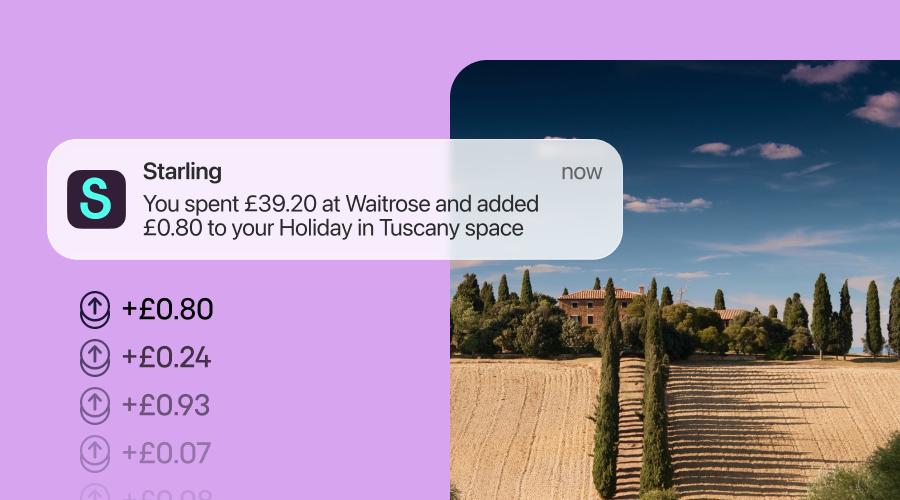
Every time you buy something on your Starling personal, joint or business account, we’ll round up your spending to the nearest pound and add the spare change into a Regular Space of your choice. Spend £3.40 on a coffee? We’ll round it up to £4.00 and add 60p to your Space.
To reach your goals even faster, try multiplying the spare change you save – increase to x2, x5 or x10 in your app. You can also top up your Space with one-off or scheduled payments.
Once you’re ready to spend, simply transfer money from your Space to your main account for a Round Ups pick-me-up or set up a virtual card to spend straight from the Space.
How do I switch Round Ups on?
For existing customers:
Head to ‘Spaces’ in your Starling app.
Create a new Regular Space or tap on an existing one.
Click ‘Manage Space,’ then ‘Round Ups’ and switch the toggle on.
What our customers think of Round Ups
“My rounding up space paid for family dinner out last night. Love this feature.” - Ben on X
“Just from rounding up purchases, I’m aiming to have enough to splash out on a fancy guitar.” - Mark on Instagram
Can’t get enough?
Applying for a current account. See why millions have already changed the way they bank.
Compare Starling’s current account with other banks. Otherwise known as ‘we’ve done the hard work so you don’t have to.’