Calculate, submit and pay VAT seamlessly.
Calculate, submit and pay VAT seamlessly.
Manage your VAT from start to finish with Accounting Plus.
What is the VAT tool?
Manage your VAT from start to finish, all within Accounting Plus. Track VAT on every business transaction, monitor your real-time tax position, and connect directly to HMRC to file and pay your bills digitally.
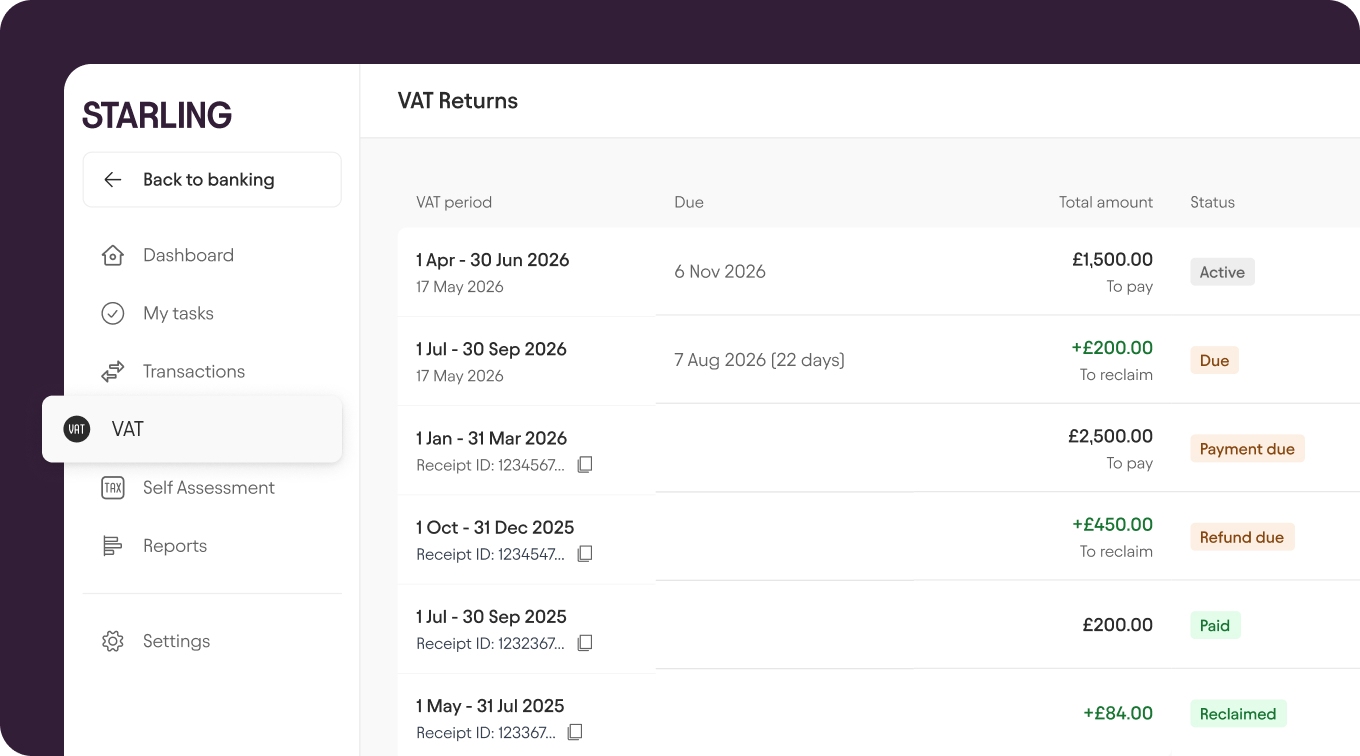
VAT made easy.
Managing VAT is simple with Accounting Plus. It’s just £7 a month until April 2027 – a 50% saving compared to the normal price – and you can:
Record VAT.
Record VAT rates and apply VAT treatments to your transactions.
Calculate VAT.
Start saving towards your VAT bill with Spaces.
Submit and pay your HMRC VAT bill.
Connect to HMRC and comply with Making Tax Digital (see which VAT schemes we support).
How does it work?
Set up VAT directly within the Starling Accounting tab. Simply add or update your details, then securely connect your HMRC account.
Once linked, Starling automatically retrieves your full submission history—including active, due, and overdue returns. Use our integrated VAT tool to review your figures, ring-fence tax funds, and submit directly to HMRC.
Where can I find it?
Make sure you’re subscribed to Accounting Plus (you’ll need Accounting Essentials, first), then log in to online banking. You’ll find the VAT tool in the left hand menu once you’ve clicked through from Accounting.
The rundown.
Submit Making Tax Digital VAT returns from your bank account
View your current and historic MTD VAT returns
Track the progress of your VAT submission
Fully compliant HMRC recognised software
Real-time VAT calculation based on your Bookkeeping transactions
Export your VAT return data
Connect and sync with HMRC
Set aside money for your VAT bill as you go with Spaces
Join the millions of people getting good with money.
Award-winning accounts. No monthly fees. Industry-leading security features.
Apply now